
The Ediflo CMS and its App API, Remoco, are built on the same core concepts. In order to make best use of the system, it's necessary to understand those concepts and how they are related to each other.
Assets and Media
The basic building block of the system is called an Asset.
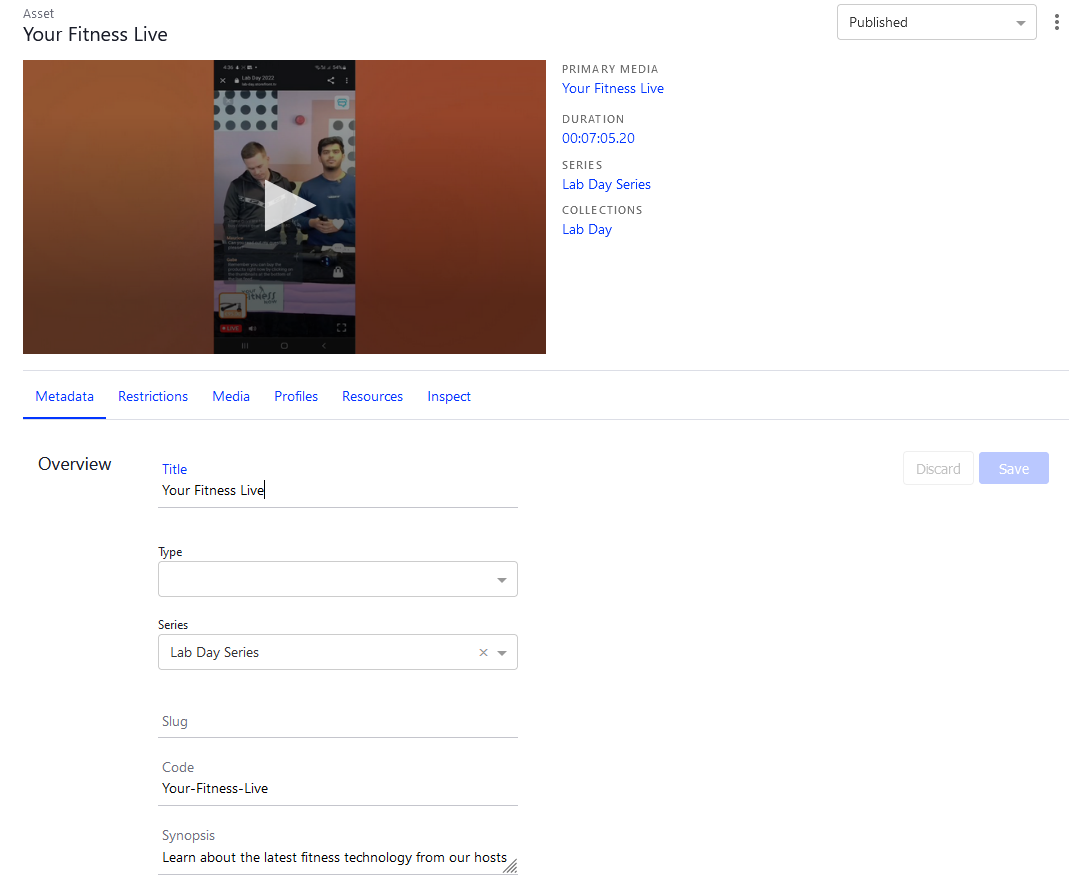
An Asset is a container which holds information about a video but not the video itself e.g. it contains title, release date etc.
Think of it as a single movie or an episode of a TV show. It has the metadata that describes it - title, synopsis, rating, cover or poster image etc. It also contains the primary media - the video file itself or a URL to the live stream.
- The unit of value in the system is an asset
- Assets can have multiple media
- Series can contain multiple assets
- Media can contain multiple targets
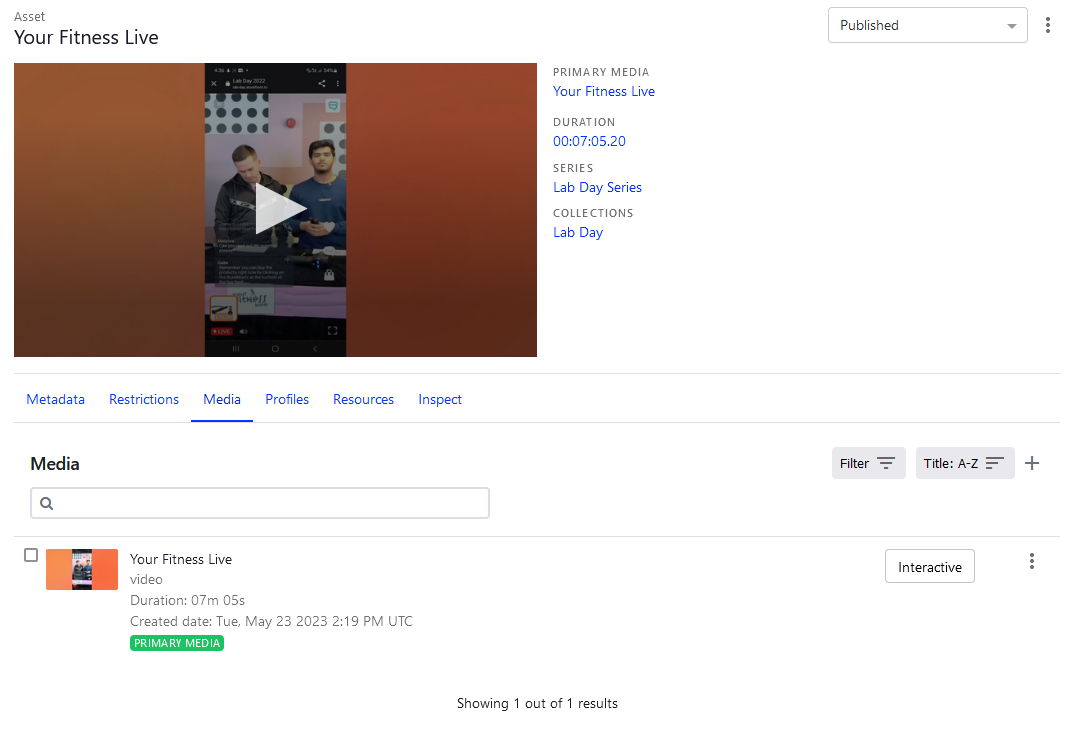
Media is the actual container of the video with a source URL in it. You can keep a number of different media in a single asset, but only one media can be primary, the one that will be streamed to the user’s device. You can also keep trailers, reviews, extra content as different media which is related to the asset.
Resources
Ediflo uses Resources to allow a large degree of flexibility when considering how the content will be supported by imagery such as posters, logos, or atmospheric backgrounds.
A Resource is a color, thumbnail or image that can be overridden per asset but is defined globally.
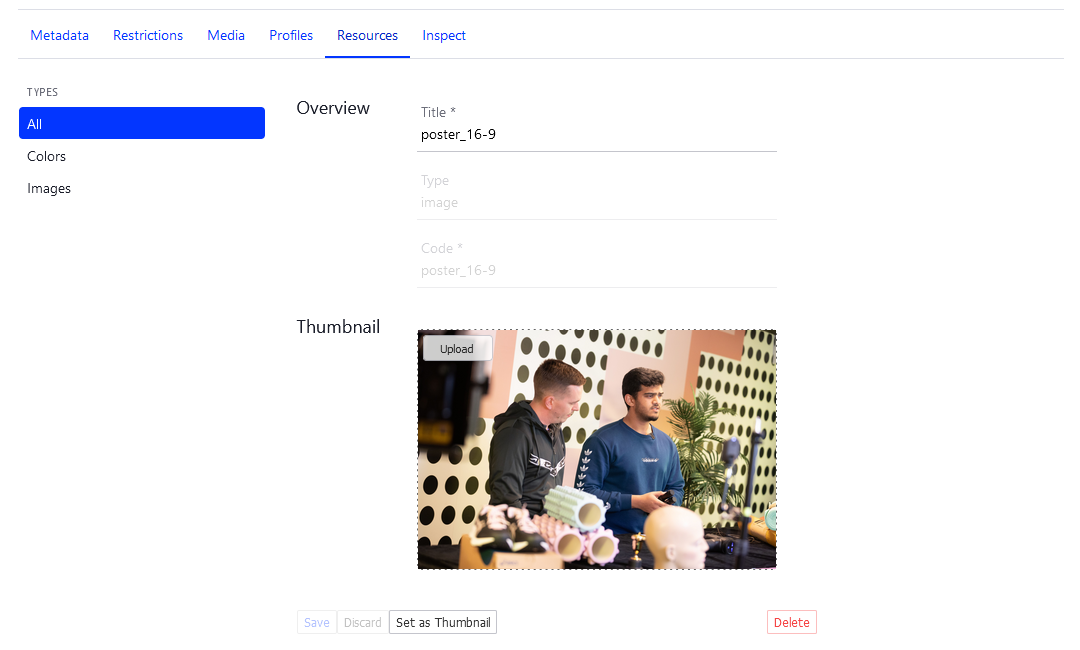
The majority of images used within streaming services exist to provide a visual representation of the content available on the platform. Either to capture the attention of potential viewers and entice them to watch the content, or to allow the viewer to find the content they’re looking for.
There are at least four types of images used within a streaming service, the following section describes their attributes and usage:
- Poster Art
- Backdrop
- Logo Art
- Content Still
Resources are how Ediflo handles all types of content based images for your application. Once you have decided what types of images will be used to represent the content within your application, a resource can be created to support each of them. The new Resources will then appear within the Assets and Series item screens, allowing you to upload an appropriate image into it per content item. Because the resource is shared between all content types (Assets and Series), different content can be curated beside one another within your application’s content discovery experience. Allowing for more flexibility when curating the experience.
Collections
Collections enable you to organize content into sequences or playlists. There are three types of collections and each of them can contain specific types of objects:
- General collection - can contain assets, series and profiles
- Playlist collection - can contain only assets
- Collection group - can only contain other collections and categories
App "Shelf" components typically contain Ediflo objects from a single Collection. A Collection of Collections in Ediflo can be used to curate a master page.
Collection Groups
Collection Groups can assist in the management of numerous collections and keep them in one place for easier curation and/or enable the ordering of collections and how they appear app-side to the user.
Collection Versions
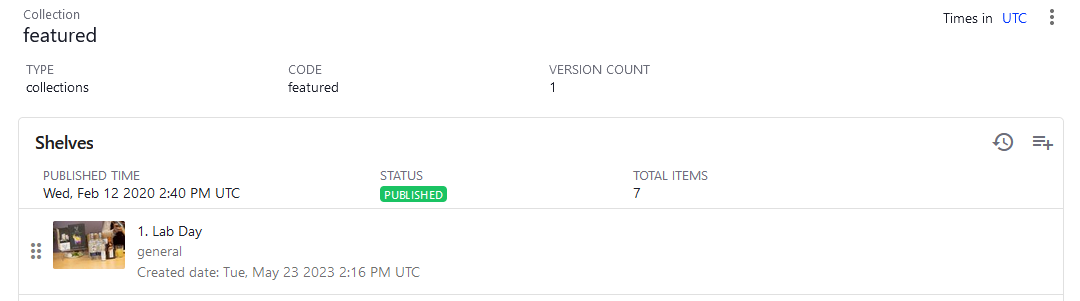
Each collection has at least one version. You can create and manage multiple versions for a single collection, but only one version can be published at a certain point of time. You can control the publication status of the collection using the date property and "Published" switch.
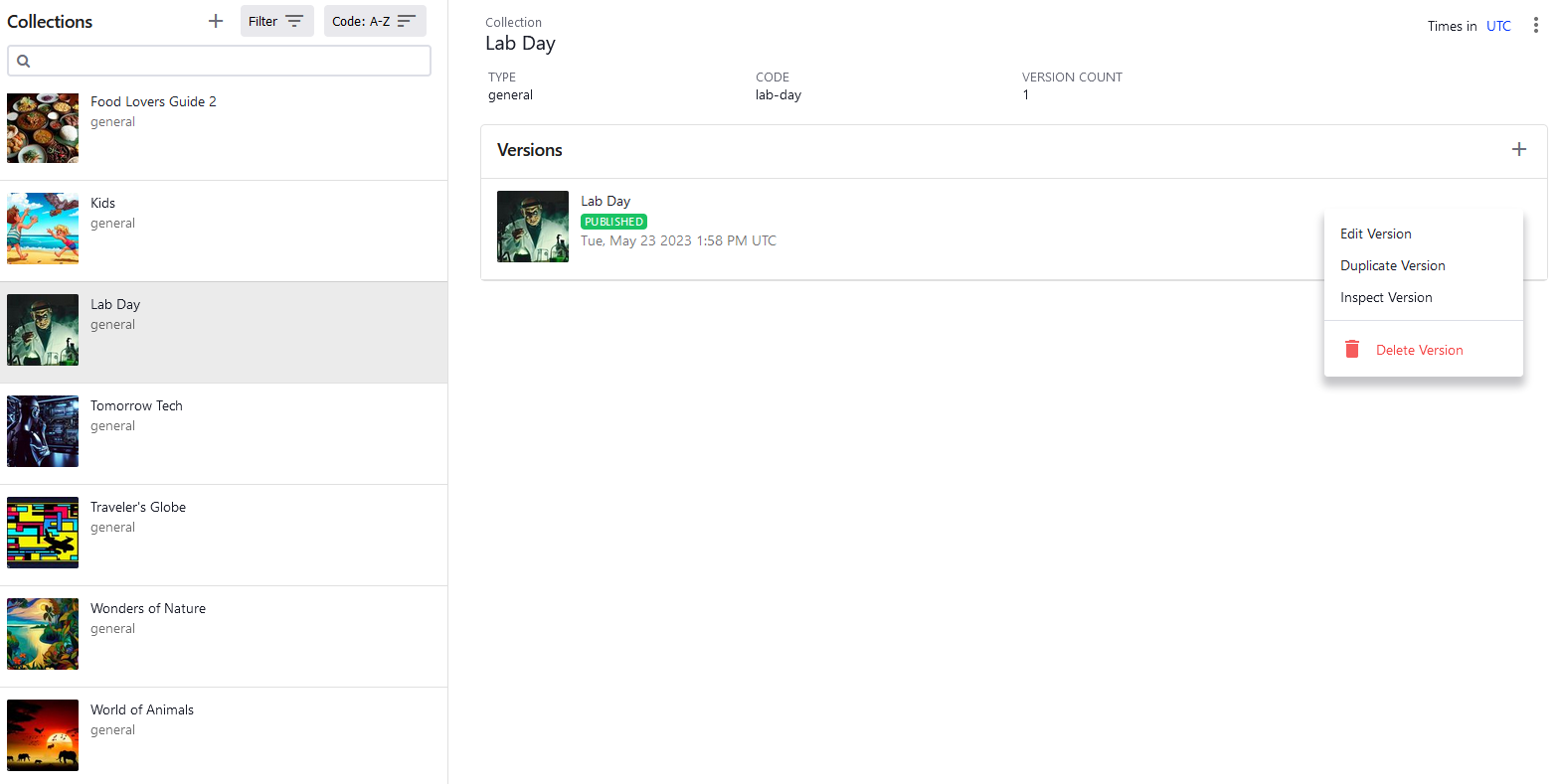
When you set up the new collection version with "Published" switch set to "enabled" and specify the date and time, this version will substitute the other active version of the collection at this specified date and time.
Note that you edit the metadata for a Collection in the Versions area, even if you only have one version.
Categories
Categories are a way of defining assets e.g. genre, subgenre.
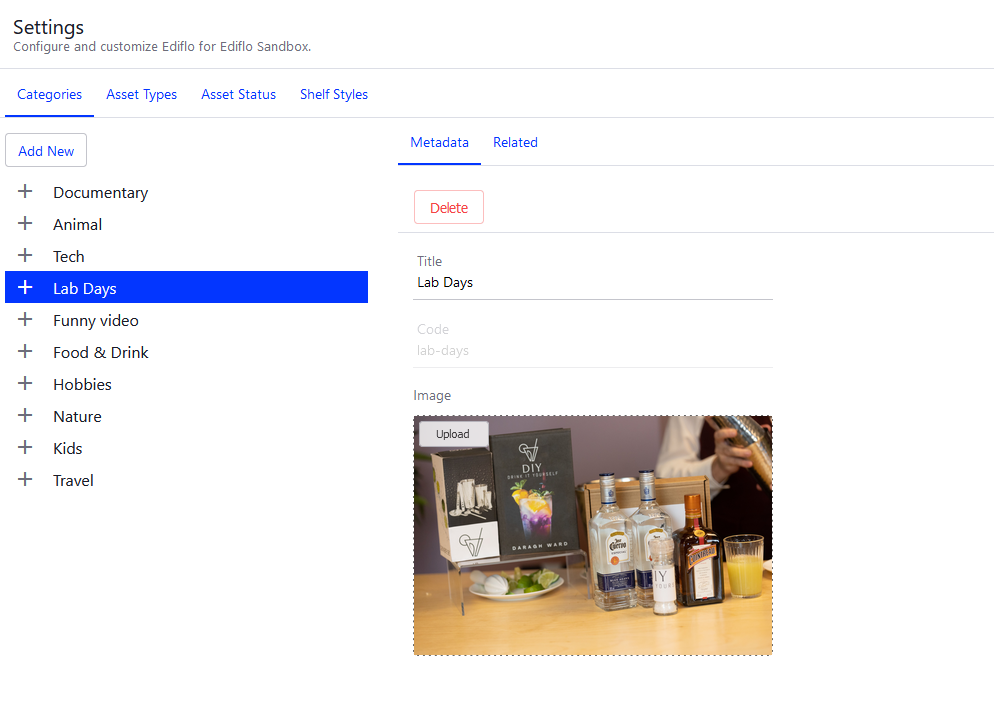
Note that they are not the same as Collections:
- Not used for layout
- Assets within collections can have categories
- And shelves/collections can also have categories
- And assets in or out of collections can have the same category
- They also do not have resources attached to them (currently) and they do not have a thumbnail.
Series
Assets can be either standalone (e.g. movie) or represent a part of a series (e.g. TV show episode). Series is an envelope object for such related content. A series has its own metadata and groups the assets inside it into a set.
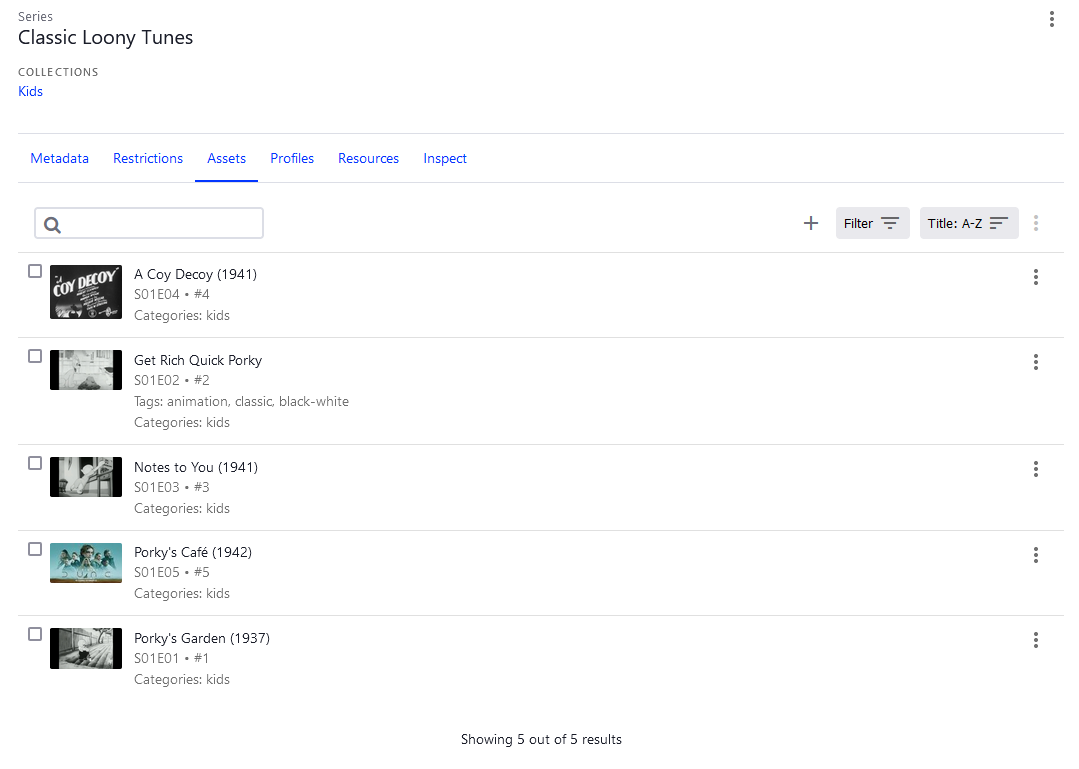
A series is a collection of assets, for example:
- Series: Breaking Bad - Contains multiple assets: Episode 1, Episode 2, etc. It will contain multiple seasons (a series is not the same thing as a season)
- A series can also be effectively infinite, e.g. a soap opera, or a regular news broadcast.
If an asset is created under a series it gets the series title, by default. If needed, the asset title can override the series title.
Similarly, geolocation blocking can be added on a series level and cascade down to individual assets, yet also be overwritable, if necessary on an asset level.
The same logic applies in the case of a pay per view or encrypted channel. It also applies in the scenario that there is a limited rights window for a given series, where not all episodes are available at the same time.
Externals
Externals are a really powerful structure within Ediflo. They enable customers to bring in some key information about a piece of content or data from another system.
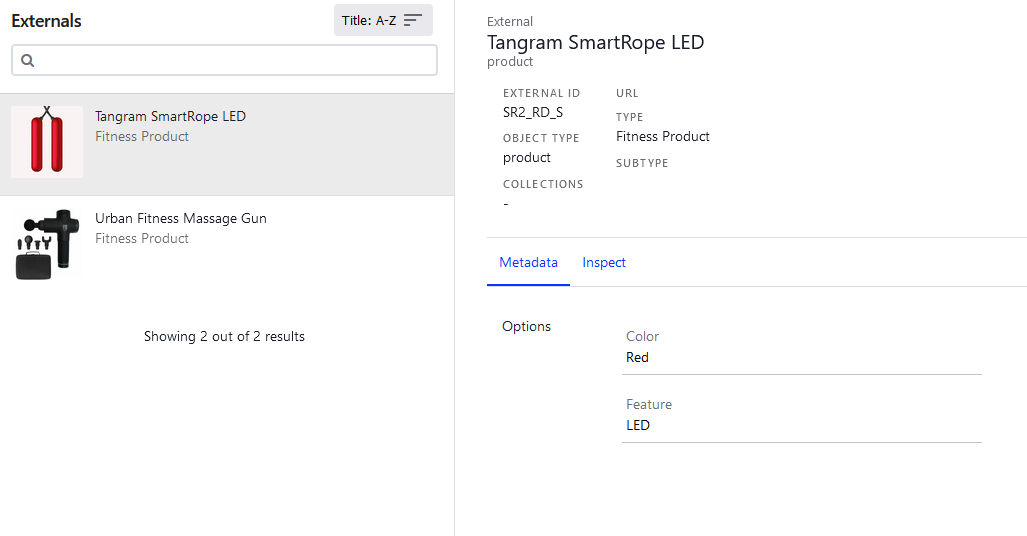
For example, with a nature documentary site, we might bring in something like the species of animals, but we won’t recreate a database that exists elsewhere.
On our Interactive screen, the sources section on the left, can be either:
- actual pieces of content contained in Ediflo
- representations of content by Externals
An example of this is products in a video commerce system. The customer's products are brought in to Ediflo via externals. They are not set up as products in the system.
One reason for this is to ensure attributes of that product don’t go out of date, e.g. prices. By using Externals, Ediflo is able to keep up to date with any price change in the original database.
Within Externals, the Object Type defines what type of object is being brought in (not the type of External). This allows us to decide how much of the original data to bring in, from the minimum amount to identify it up to the entire dataset of a given object.
Messages, Sources, Targets and Triggers
Ediflo is an interactive video content management system. It provides traditional video content management as you might expect but we also have a powerful interactive element. Traditional CMSes for linear media have assets, media, collections and plans. The interactive piece is unique to Ediflo.
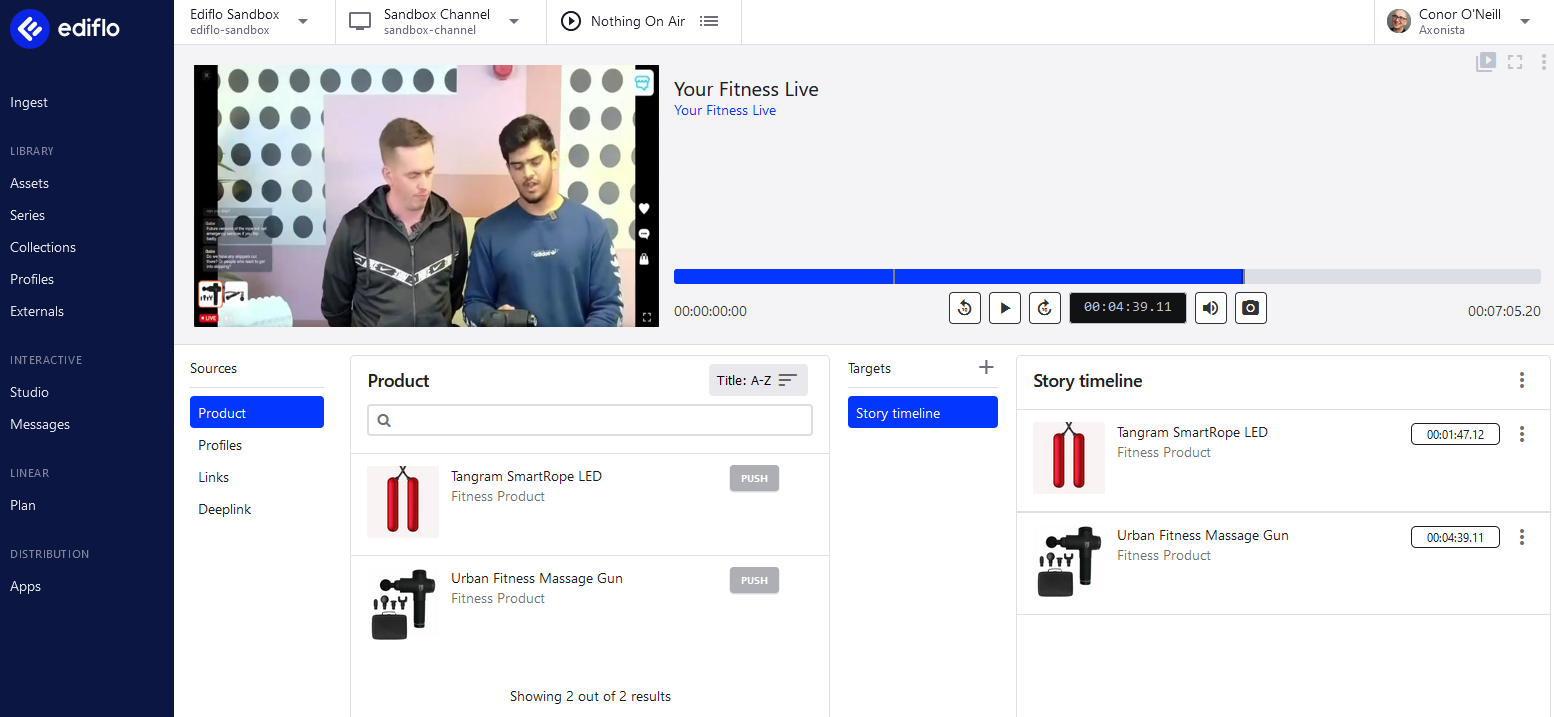
Messages
The purpose of a message is convey interactive information from Ediflo to an app. A message could be some product information or a link to a web-site. The message itself may contain all the information needed for it to be rendered in an app or might contain a reference to another system (e.g. an eCommerce system) which enables the App to pull even more information to display.
Sources
Sources are groups of interactive messages of a certain type e.g. products, profiles, links etc. Selecting a Source in an Interactive Screen gives you access to all the messages of that type. For example, if you selected Profiles, all of the available people Profiles for presenters that you created in your account would be listed and you could choose one to push to a Target.
Targets
Targets are the destinations for interactive messages. You need to create at least one target on a media in order to enable interactivity on it. In our main Remoco tutorial you can see that we are using the "Story Timeline" target to push products on to an asset at particular points in time.
Triggers
In the screenshot above you can see that we selected Product as a Source which then lists the available messages of type Product that you can send to the Target. When you click Push on a Product, you are asked for a timestamp and a duration.
That Timestamp, Duration and Message comprise the core of a Trigger. You can create as many triggers as you wish along the timeline.
Channels
Channels are how Ediflo supports linear TV:
- Supports plan and schedule
- They can support planning far into the future
- They can also supports FAST channels
Profiles
A Profile is a personal brand - a producer, a host, a guest, a member of a soccer team, etc. Anyone can have a profile created for them, including a brand, or a sports team.
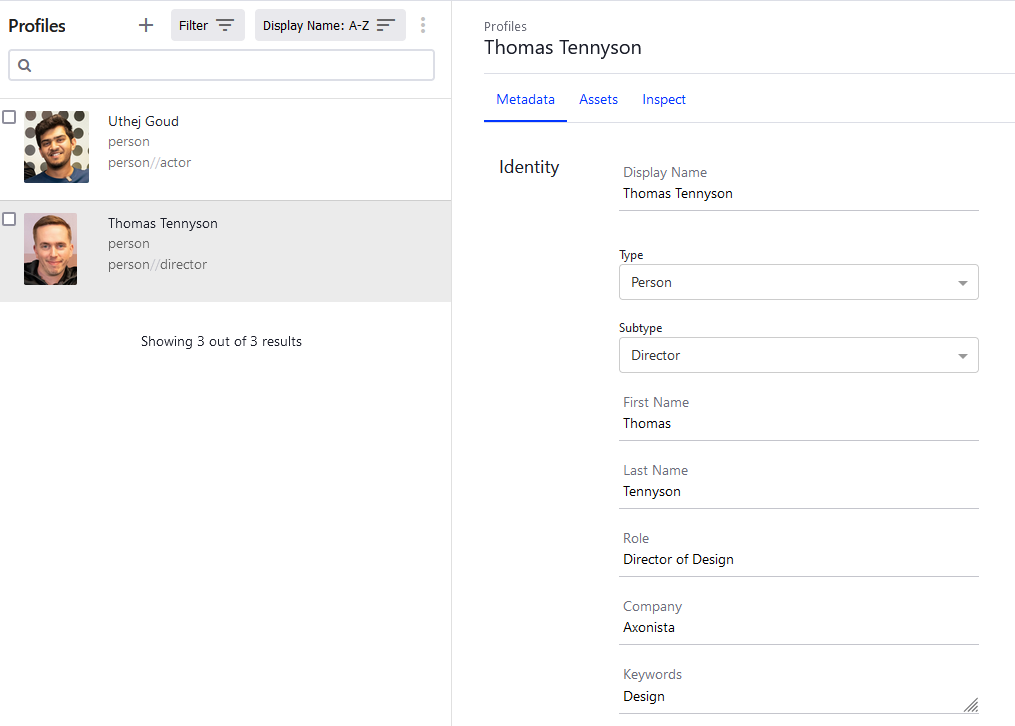
- Having a profile allows Ediflo to add value to interactive, for example by allowing bios or explainers about a profile to appear onscreen with social links, etc.
- In effect it allows a deeper network of relationships within an account.
- A profile can be connected to a reference to an asset, a media, a series, a collection. This increases the dynamic possibilities for storytellers.
Plan Events
Plans are about looking forward, for example in an EPG. A Plan is rounded, e.g. 8pm-9pm, so it is independent of the actual length of a given show.
Plans are lightweight. They reference an asset. The asset is where most of the the detailed metadata that a plan event references is kept (e.g. what program it is, who made it, what media is used).
The plan’s purpose is to place a show in time: this show, at this time on this day.
A plan event has a 1:1 relationship with an asset - one plan event per asset.
An asset is very powerful, but it doesn’t have time or place. It’s on demand. This relationship with time and place is what a plan event provides - it will have a channel and time, which is essential.
Duration is also a key element of a plan event. For example, the duration of an asset could be 45 minutes. But the media within that asset might not contain ad-breaks, which would extend the duration of the plan event. So when they are added that 45 minute show can become an hour. Therefore, knowing the duration of the asset, or the media within the asset isn't always a good indication of the duration of the actual plan event.
Plan events reference the channel and account they are related to.
When a plan event is created we default the asset title as the title. For example, imagine an asset containing a soccer game:
- Asset is titled “Manchester United versus Leeds United”
- For the purposes of consumption of this show and to list in an EPG you might want to add “Live”.
- This means you will need to override the title for that particular plan event.
- You won’t change the title of the asset, because you might want to repeat the match the following day - and then it won’t be live. So, plan events can have titles independent of the assets they are using.
- This is also an example of how, while a plan event can only reference one asset, one asset can relate to many plan events.
Apps and Configuration
The App Config endpoint can be used to retrieve global app data, typically useful across all app platforms. Apps generally load from this end-point at startup.
Accounts
- An account is a library of content
- Each customer has an account
- Customers can have multiple accounts, but they are segregated from each other - as if they were different entities. So assets etc. can't be shared across accounts